Guide
Schedule Apple Business Imports
Configure tenant-specific inbound sync schedules in ABM Warranty 0.6.0 beta.
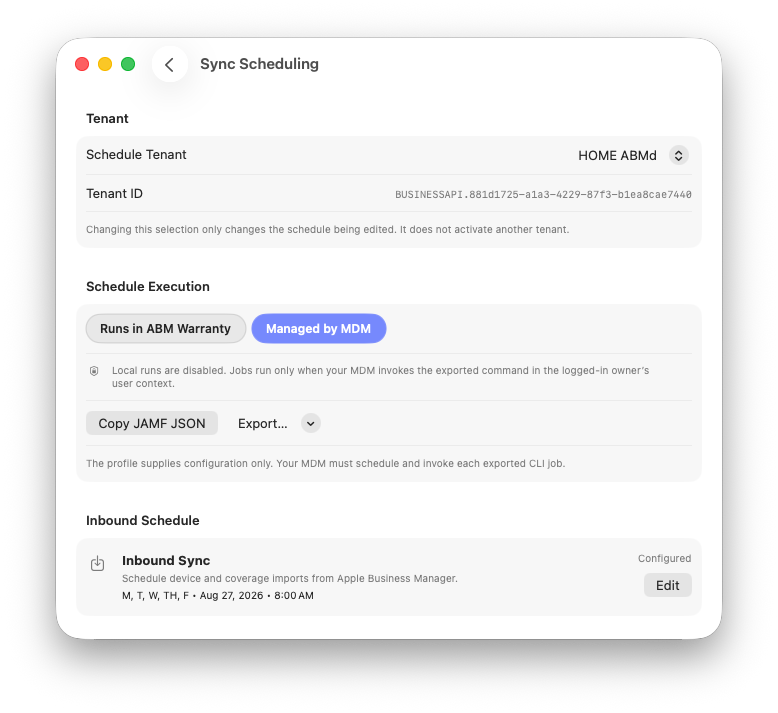
Select the tenant whose schedule you want to edit, then choose who will execute it.
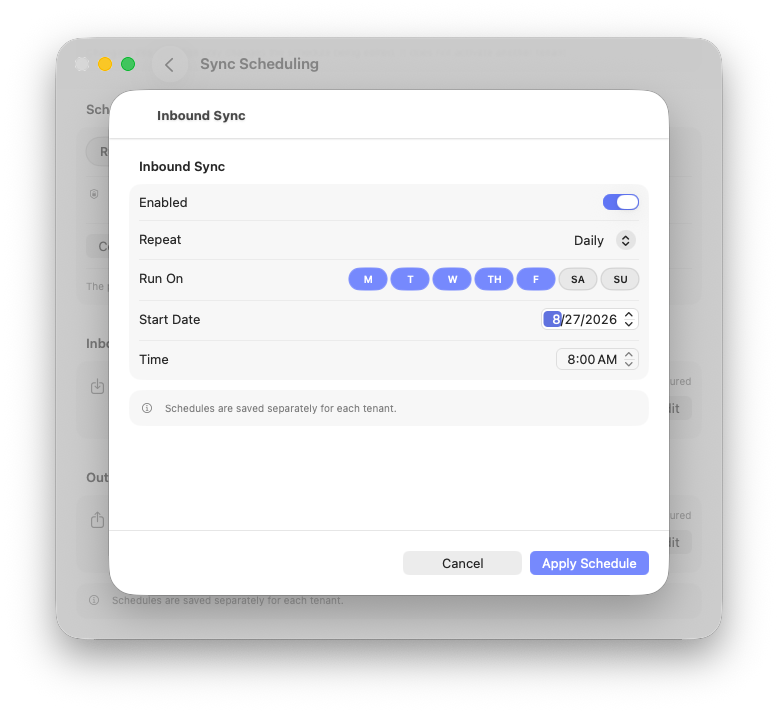
Enable Inbound Sync, choose the recurrence and days, then apply the schedule.
Use Sync Scheduling to automate device and coverage imports from Apple Business or Apple School Manager. Inbound schedules are tenant-specific and do not require an outbound connection.
Beta: This article describes ABM Warranty 0.6.0, build 29. Beta behavior may change before general release.
Before You Begin
- Add and validate the Apple Business or Apple School Manager credential for the tenant.
- Choose whether ABM Warranty or your MDM will own execution timing.
- For MDM execution, make sure the CLI runs in the logged-in tenant owner's user context. That context provides access to the correct Keychain credentials and tenant database.
Configure an Inbound Schedule
- Open Sync Scheduling.
- Use Schedule Tenant to select the tenant whose schedule you want to edit. This selection does not activate that tenant elsewhere in the app.
- Under Inbound Schedule, select Edit.
- Turn on Enabled.
- Set Repeat to Daily, Weekly, or Monthly. Configure the supported interval or monthly day when applicable.
- For a schedule that uses weekdays, select the compact Run On day pills. Any supported combination can be selected, such as Monday, Wednesday, and Friday.
- Set the Start Date, Time, and schedule time zone.
- Select Apply Schedule.
Each tenant can have up to one inbound schedule. The schedule is optional, so a tenant may use inbound only, outbound only, both, or neither.
Choose Who Runs the Schedule
| Mode | Use It When | Important Behavior |
|---|---|---|
| Runs in ABM Warranty | The Mac keeps ABM Warranty open at the scheduled time. | The app evaluates enabled schedules. If it is closed, the occurrence is missed and is not backfilled. |
| Managed by MDM | Jamf Pro or another MDM owns invocation timing. | Local execution is disabled for this tenant, but saved schedule definitions remain. Selecting this mode does not create a policy or run a job. |
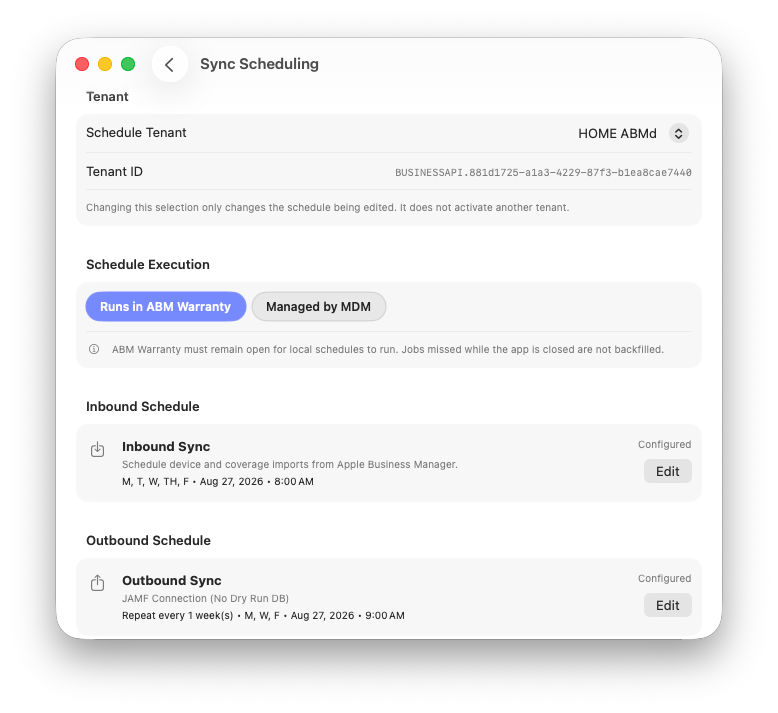
Local execution requires ABM Warranty to remain open; missed occurrences are not backfilled.
Warning: Switching execution authority in either direction does not backfill missed occurrences. ABM Warranty does not install a LaunchAgent, LaunchDaemon, or background service.
Review Scheduled Inbound Runs
Scheduled Sync Jobs contains projected occurrences and past scheduled runs. Expand a historical row to inspect the same statistics, errors, and details shown in inbound history. The related run also appears in Inbound Sync Jobs with a scheduled indicator. Local runs use scheduled; MDM-triggered runs use managed-scheduled.