Guide
AppleCare+ Renewals
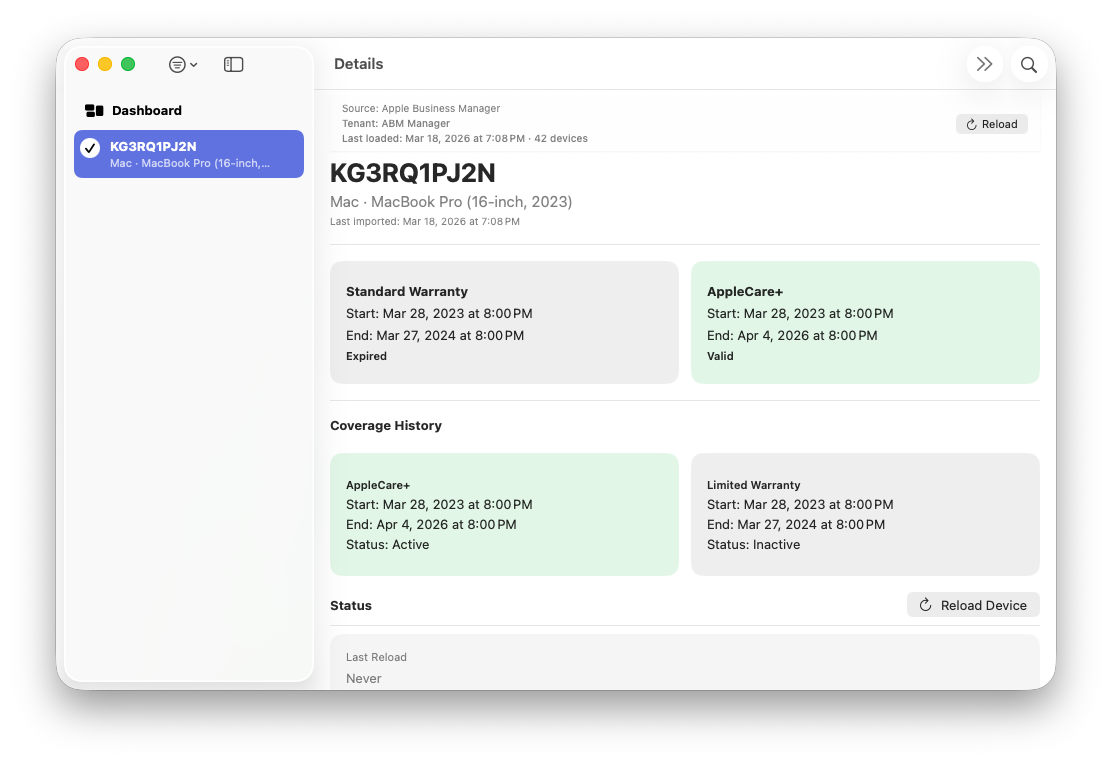
AppleCare+ coverage may be eligible for renewal for a limited period after expiration, depending on Apple’s policies and the device’s reported coverage history. ABM Warranty evaluates renewal-related states using coverage dates returned directly by Apple Business Manager.
Devices whose AppleCare+ coverage has recently expired may be surfaced under Needs Attention. This category is intended to highlight devices that are approaching or have recently crossed a coverage boundary and may require review or follow-up.
ABM Warranty does not attempt to predict or guarantee renewal eligibility. Instead, coverage status is derived dynamically from the coverage end date and the current date, using Apple-provided data only.
Once AppleCare+ coverage is determined to be fully expired and no longer within a transitional window, devices appear under Expired AppleCare+ in the Dashboard and filters.
Coverage status is recalculated whenever Dashboard views, filters, or device details are displayed. As a result, renewal-related states may change over time without requiring a new import.
The Dashboard, sidebar filters, and device detail views all reflect this logic consistently, ensuring that potential renewal-related devices are visible without misclassifying permanently expired coverage.
Administrators should consult Apple Business Manager or Apple documentation directly to confirm current AppleCare+ renewal eligibility and timelines.