
ABM Warranty 0.4.1 Walkthrough: Wrap-Up and Beta
In this final ABM Warranty 0.4.1 walkthrough, I’m wrapping up the last features I had not covered directly in the earlier videos and then focusing ...
Read postBlog category
Posts tagged with “updates”, including release notes, implementation details, and operational guidance for ABM Warranty environments.
Filtered posts
Browse posts filed under this category.
In this final ABM Warranty 0.4.1 walkthrough, I’m wrapping up the last features I had not covered directly in the earlier videos and then focusing ...
Read post
In this part of the ABM Warranty 0.4.1 walkthrough series, I’m focusing on managed preferences and the credential packaging workflow. In the last v...
Read post
In this part of the ABM Warranty 0.4.1 walkthrough series, I’m focusing on multiple credentials. In the first video, I showed the basic setup and h...
Read post
In this first ABM Warranty 0.4.1 walkthrough, I want to show you what the app actually does before I get into the more specific feature videos. Thi...
Read post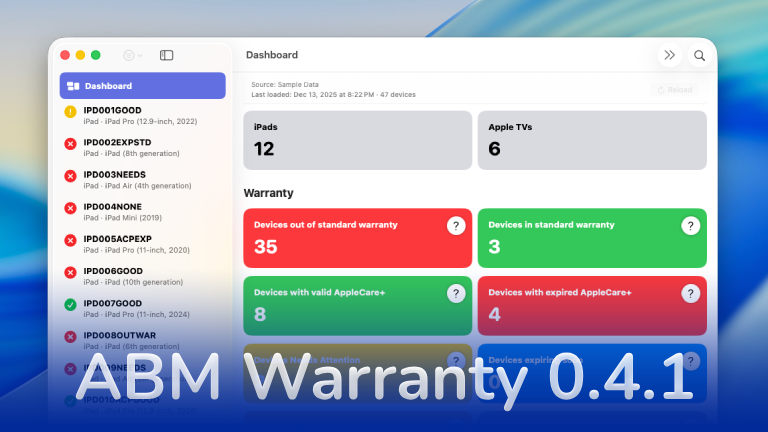
The 0.4.x release series for ABM Warranty is focused on operational scale. The earlier 0.3 releases were about trust, correctness, and stabilizing ...
Read post
Security and risk are often treated as interchangeable concepts in modern IT environments, but they are not the same discipline. Security focuses o...
Read post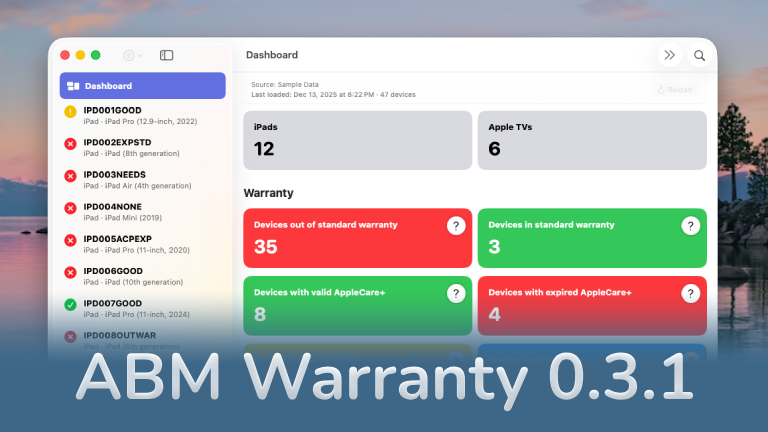
The 0.3.x release series for ABM Warranty is about tightening guarantees. Where earlier releases focused on surfacing data and making long-running ...
Read post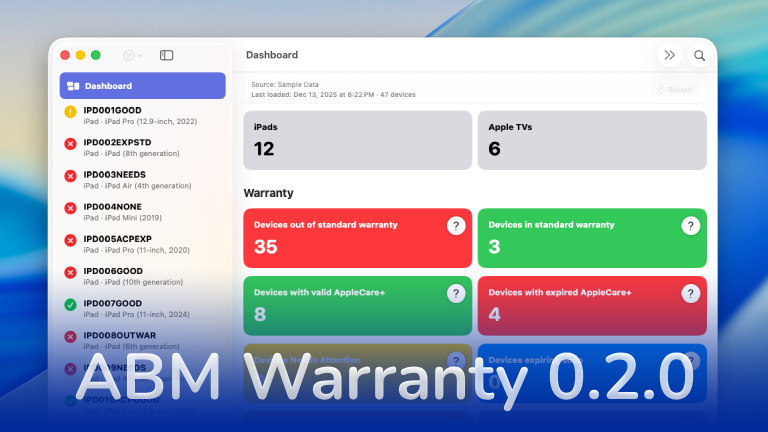
ABM Warranty 0.2.0 is a feature release focused on visibility, safety, and scale. This version does not change what ABM Warranty is meant to be, bu...
Read post
Shipping software in isolation is comforting. You control the inputs, the environment, and the narrative you tell yourself about how things work. T...
Read post
If you manage Apple devices at scale, you already know that **Apple Business Manager (ABM)** provides warranty data — but in practice, it’s extreme...
Read postFAQ
ABM Warranty uses Apple’s official OAuth 2.0 client flow. You create an EC P-256 private key in Apple Business Manager, then enter the required identifiers in the app. Credentials are stored locally on your Mac and are not sent to third-party services.
Yes. The app is designed for large organizations and includes pagination safeguards, serialized coverage requests, retry handling, and protections for malformed or partial ABM API responses.
No. ABM Warranty is focused on reading and reporting warranty data; it does not modify device records or coverage settings in ABM.
Individual device failures do not stop the overall import. Errors are captured so the app can continue processing remaining devices and you can review failed items later.
Yes. You can export warranty and AppleCare+ coverage data to CSV for audits, lifecycle planning, budgeting, and internal tooling.
Managed preferences allow you to deploy and enforce configuration for ABM Warranty using your MDM, removing the need for manual setup on each device. This is especially useful in enterprise and MSP environments where consistency and control matter.
To use managed preferences, you define the required keys (such as API credentials, certificates, or feature flags) in a configuration profile and deploy it via your MDM solution (e.g., Jamf, Kandji, Mosyle). Once applied, ABM Warranty will automatically detect these managed settings at launch and treat them as authoritative.
If managed preferences are present, the app respects them as read-only. Users cannot override or modify these values locally, ensuring that credentials and configuration remain consistent across all deployed machines.
This approach is ideal for standardized environments where administrators want to centrally control how ABM Warranty is configured and used.
Source: Managed Preferences.
Managed credentials are designed for environments where API access should be centrally controlled and not manually entered by end users.
Instead of adding credentials directly within the app, administrators can deploy them via managed preferences (MDM). Once deployed, ABM Warranty will automatically load and validate these credentials on startup.
Managed credentials are clearly distinguished from manually added credentials within the app. They cannot be edited or deleted by the user, which prevents accidental changes or credential drift.
This is particularly useful for MSPs managing multiple tenants, organizations with strict access controls, and environments where credential rotation and auditing are required.
The app will use these managed credentials just like local ones, but with added safety and enforcement from the management layer.
Source: Multiple Credentials.
The ABM Credential Packager is used to prepare your Apple Business Manager API credentials for deployment via MDM.
Instead of manually distributing raw API keys and certificates, the packager bundles them into a format that can be securely embedded into a configuration profile.
The general workflow is:
1. Export your ABM API key and certificate from Apple Business Manager
2. Use the Credential Packager tool to convert certificates into the required format and bundle credentials into a structured payload
3. Insert the packaged output into your MDM configuration profile
4. Deploy the profile to target devices
Once deployed, ABM Warranty will automatically detect and use these credentials as managed credentials, requiring no user interaction.
This process ensures secure handling of sensitive credentials, consistent deployment across devices, and compatibility with managed preferences. It is the recommended approach for organizations deploying ABM Warranty at scale.
How it works
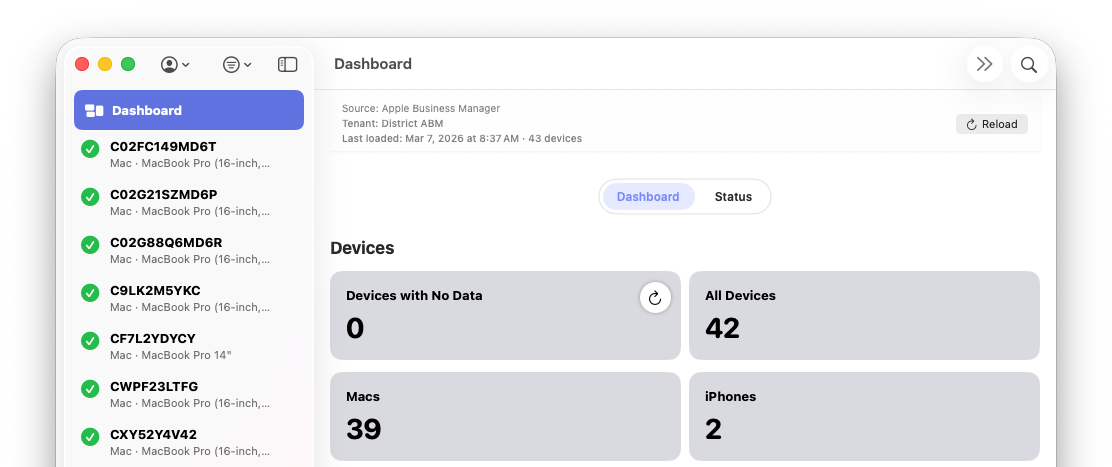
ABM Warranty is a macOS app for Apple IT teams that instantly shows warranty and AppleCare+ status across ABM and ASM devices in one fast, private dashboard.
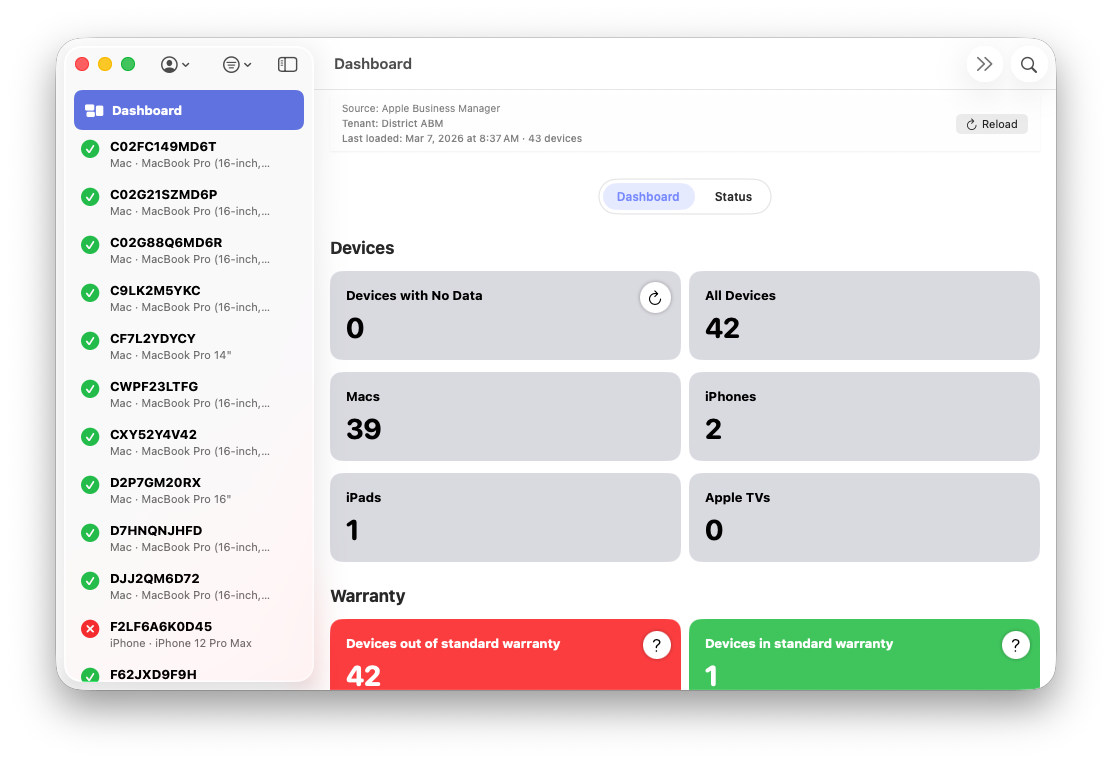
Retrieves device and warranty data directly from Apple Business Manager with pagination safety.
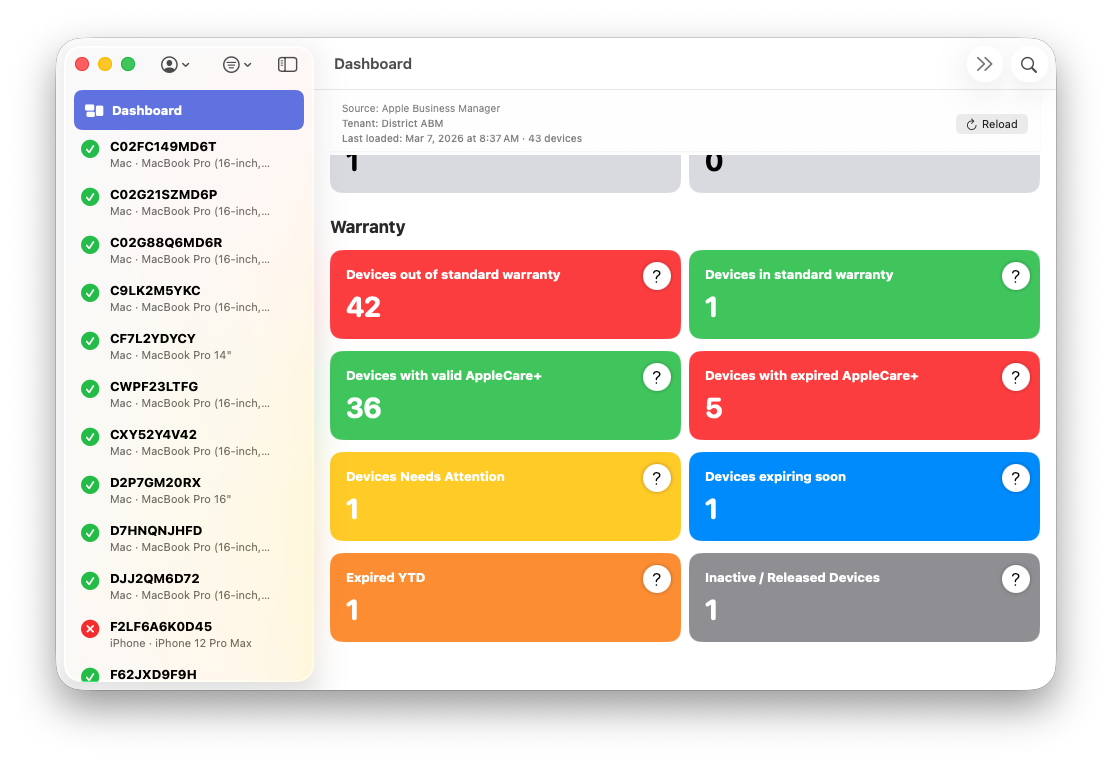
Provides a fast, reliable way to view warranty status, AppleCare+ coverage, and device lifecycle details.
Shows accurate device counts from your Apple Business Manager or Apple School manager fleet.
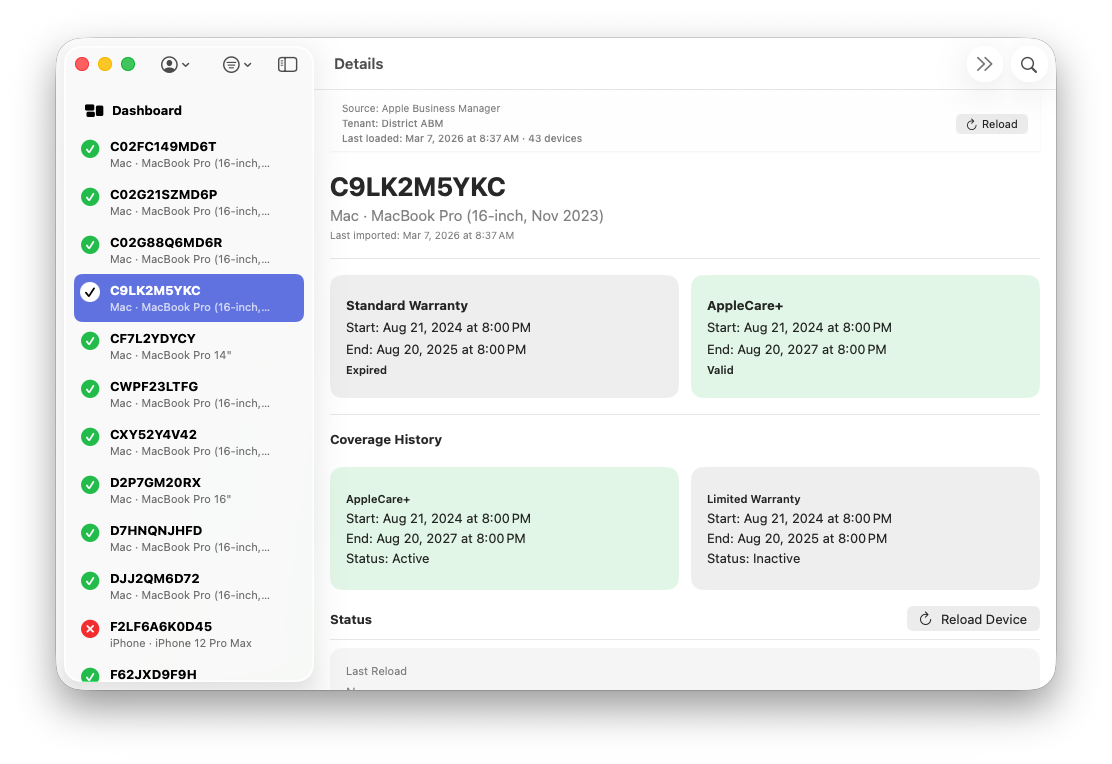
View device information from Apple Business Manager or Apple School Manager such as warranty coverage and warranty history.
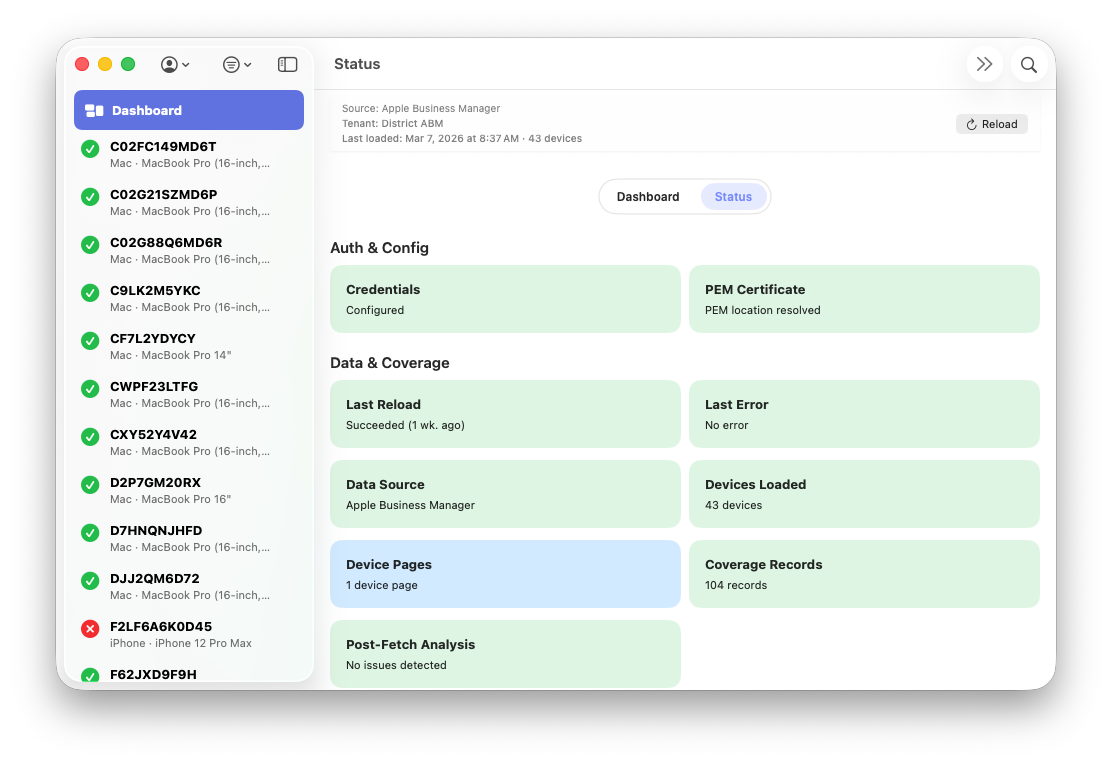
Gather meaningful API information for contextual awareness such as credential verification, last full sync, and API diagnostic details.
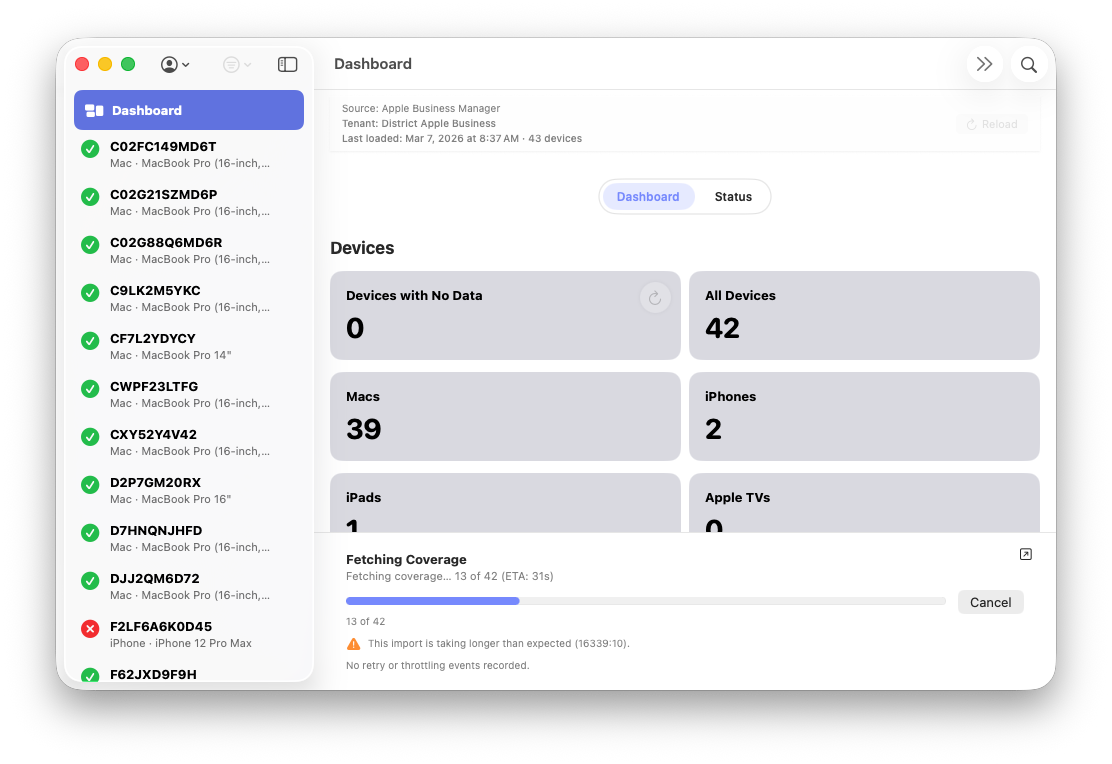
Verify the syncronization of the API information to your tennant database with real time statistics and diagnostics.
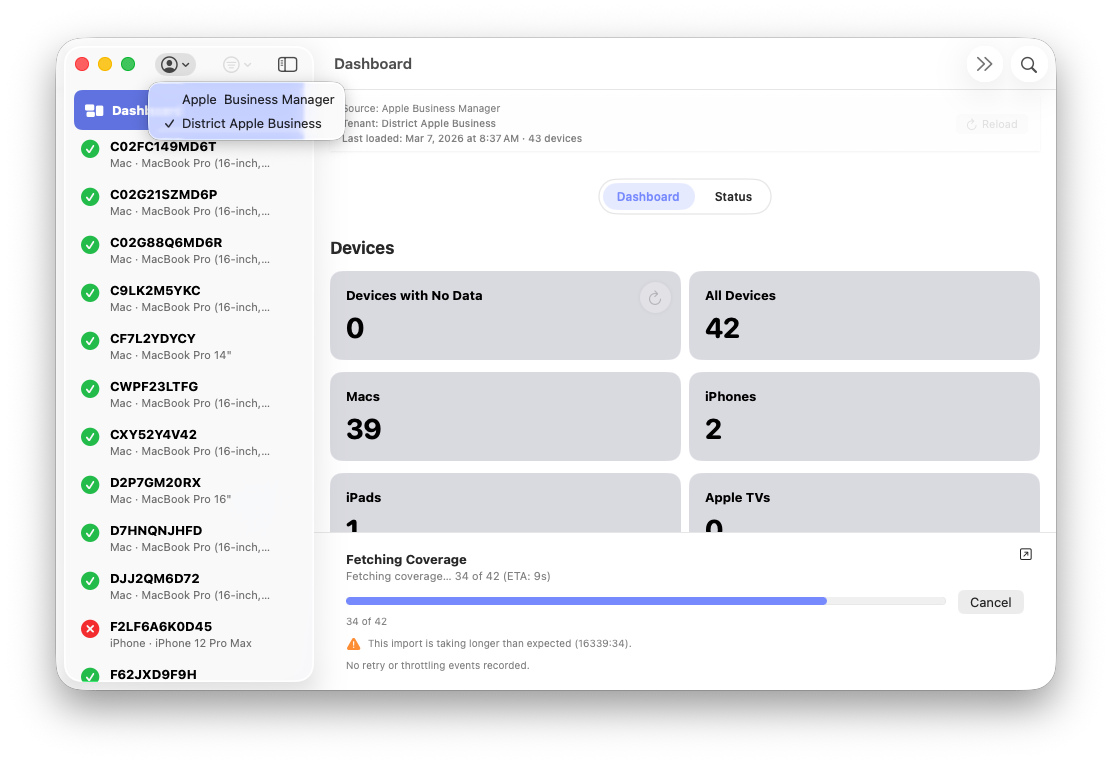
ABM Warranty now supports multiple credential sets so you can easily swap between tennants within the application.
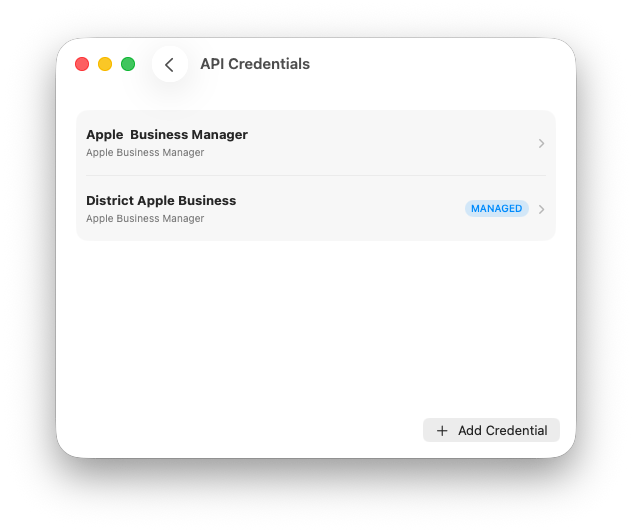
Use MDM to enforce managed credentials via Managed Preferences via User Defaults. Managed tennants are not removable or editable.
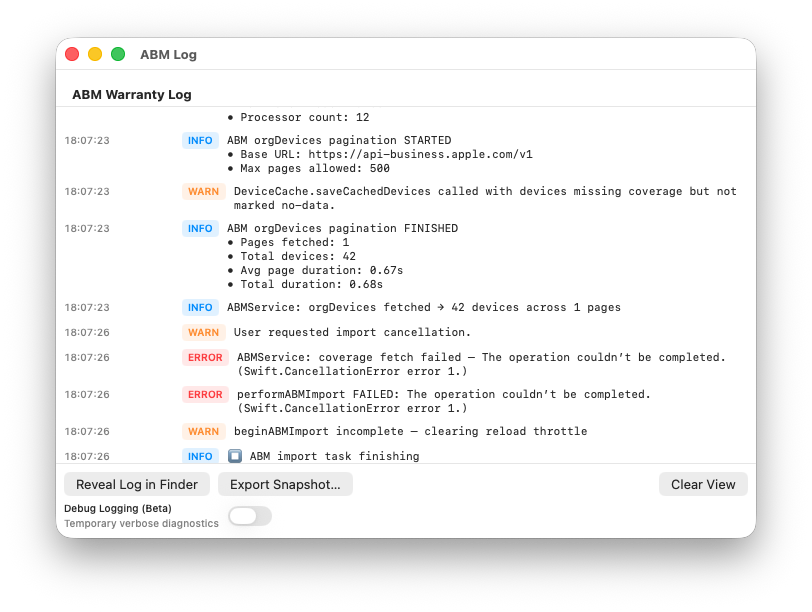
View real time logging and diagnostics as well as debugging for larger API syncronizations and complex ecosystems.
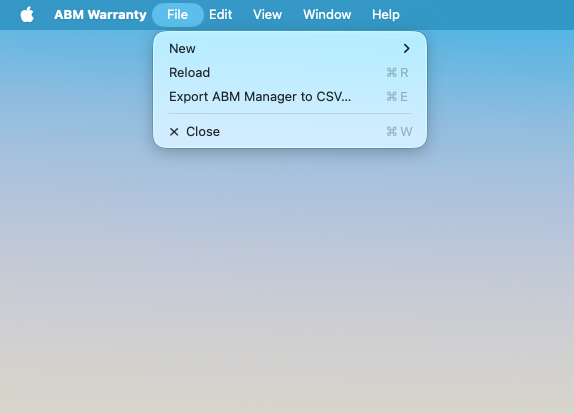
Quickly export your Apple Business or School Manager device data with warranty and serial information to CSV.
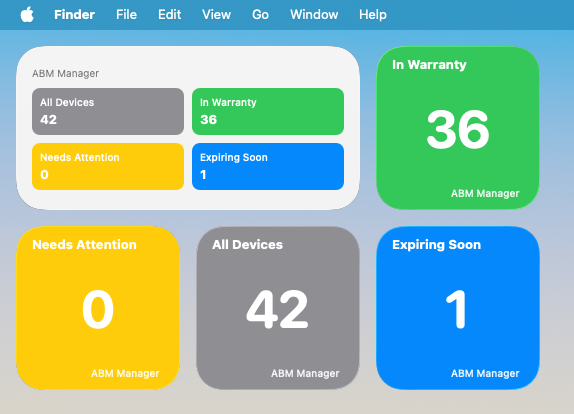
Show your fleet warranty count information from your Desktop using Desktop Widgets to load information from ABM Warranty. Updates on tenant switch.
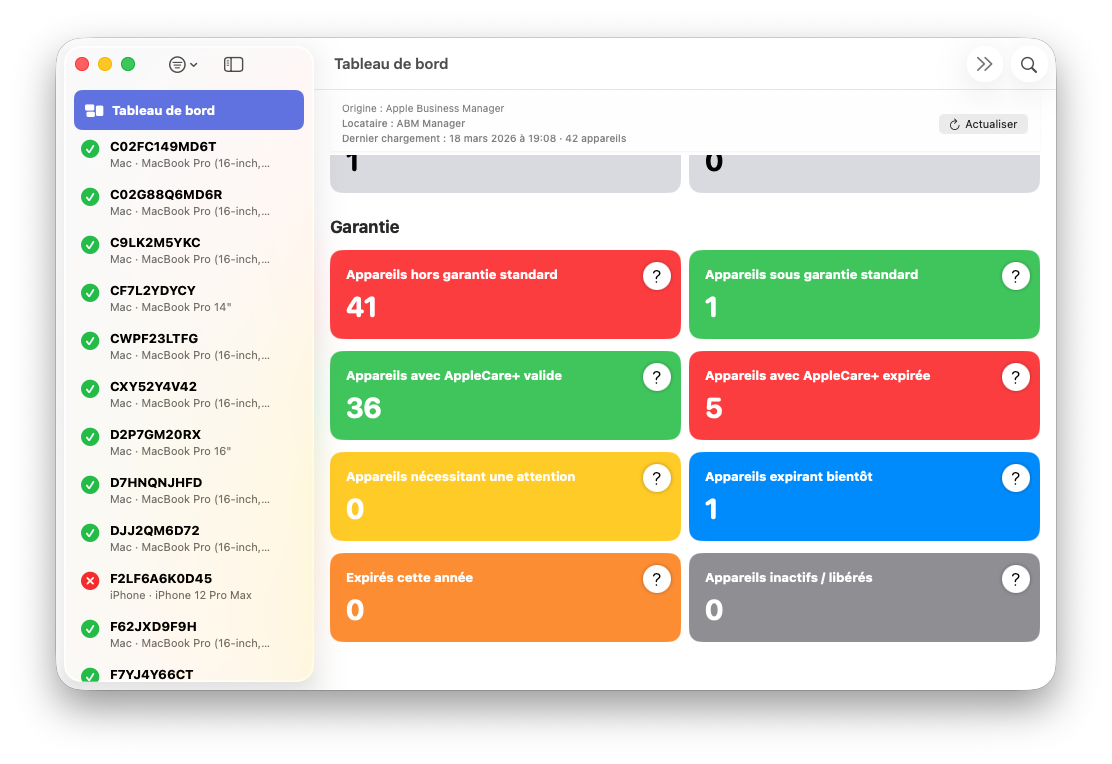
App is now localized in English, French, German, Spanish, Japanese, Korean, Chinese Simplified, Chinese Traditional, Russian and Italian.
Plans
Choose the right tier for your team size and support expectations.
Basic
$0
For up to 2 tenants.
Most popular
Coming soon
$49.99/mo
For 3+ tenants.
Support
$250 one-time
Paid emergency support for one issue, delivered via phone or Zoom.
Latest updates
Shareable guidance, release notes, and operational tips.
In this final ABM Warranty 0.4.1 walkthrough, I’m wrapping up the last features I had not covered directly in the earlier video...
Read post
In this part of the ABM Warranty 0.4.1 walkthrough series, I’m focusing on managed preferences and the credential packaging wor...
Read post
In this part of the ABM Warranty 0.4.1 walkthrough series, I’m focusing on multiple credentials. In the first video, I showed t...
Read postFAQ
ABM Warranty uses Apple’s official OAuth 2.0 client flow. You create an EC P-256 private key in Apple Business Manager, then enter the required identifiers in the app. Credentials are stored locally on your Mac and are not sent to third-party services.
Yes. The app is designed for large organizations and includes pagination safeguards, serialized coverage requests, retry handling, and protections for malformed or partial ABM API responses.
No. ABM Warranty is focused on reading and reporting warranty data; it does not modify device records or coverage settings in ABM.
Individual device failures do not stop the overall import. Errors are captured so the app can continue processing remaining devices and you can review failed items later.
Yes. You can export warranty and AppleCare+ coverage data to CSV for audits, lifecycle planning, budgeting, and internal tooling.
Managed preferences allow you to deploy and enforce configuration for ABM Warranty using your MDM, removing the need for manual setup on each device. This is especially useful in enterprise and MSP environments where consistency and control matter.
To use managed preferences, you define the required keys (such as API credentials, certificates, or feature flags) in a configuration profile and deploy it via your MDM solution (e.g., Jamf, Kandji, Mosyle). Once applied, ABM Warranty will automatically detect these managed settings at launch and treat them as authoritative.
If managed preferences are present, the app respects them as read-only. Users cannot override or modify these values locally, ensuring that credentials and configuration remain consistent across all deployed machines.
This approach is ideal for standardized environments where administrators want to centrally control how ABM Warranty is configured and used.
Source: Managed Preferences.
Managed credentials are designed for environments where API access should be centrally controlled and not manually entered by end users.
Instead of adding credentials directly within the app, administrators can deploy them via managed preferences (MDM). Once deployed, ABM Warranty will automatically load and validate these credentials on startup.
Managed credentials are clearly distinguished from manually added credentials within the app. They cannot be edited or deleted by the user, which prevents accidental changes or credential drift.
This is particularly useful for MSPs managing multiple tenants, organizations with strict access controls, and environments where credential rotation and auditing are required.
The app will use these managed credentials just like local ones, but with added safety and enforcement from the management layer.
Source: Multiple Credentials.
The ABM Credential Packager is used to prepare your Apple Business Manager API credentials for deployment via MDM.
Instead of manually distributing raw API keys and certificates, the packager bundles them into a format that can be securely embedded into a configuration profile.
The general workflow is:
1. Export your ABM API key and certificate from Apple Business Manager
2. Use the Credential Packager tool to convert certificates into the required format and bundle credentials into a structured payload
3. Insert the packaged output into your MDM configuration profile
4. Deploy the profile to target devices
Once deployed, ABM Warranty will automatically detect and use these credentials as managed credentials, requiring no user interaction.
This process ensures secure handling of sensitive credentials, consistent deployment across devices, and compatibility with managed preferences. It is the recommended approach for organizations deploying ABM Warranty at scale.